Roles & Permissions
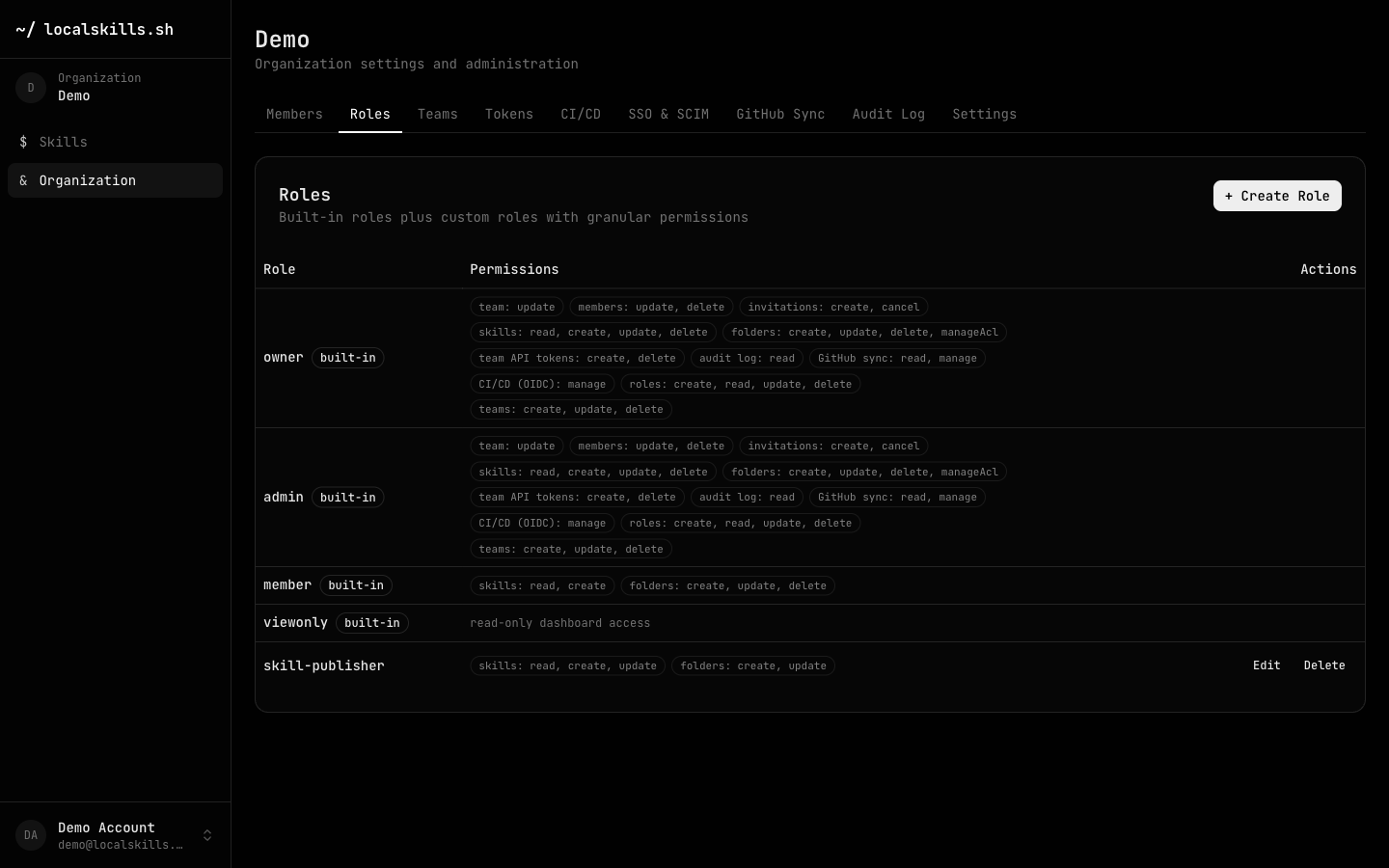
Access inside an organization is role-based. Four built-in roles cover the common cases, and custom roles compose granular permissions for everything else.
Built-in roles
| Role | Permissions |
|---|---|
| owner | Every permission, plus abilities that can't be delegated: inviting other owners and configuring SSO/SCIM. Protected from removal. |
| admin | Every permission in the catalog below — full day-to-day administration. |
| member | skills: read, create and folders: create, update, delete — can use and contribute skills, but not delete them, manage people, or change settings. |
| viewonly | Read-only dashboard access. |
Custom roles
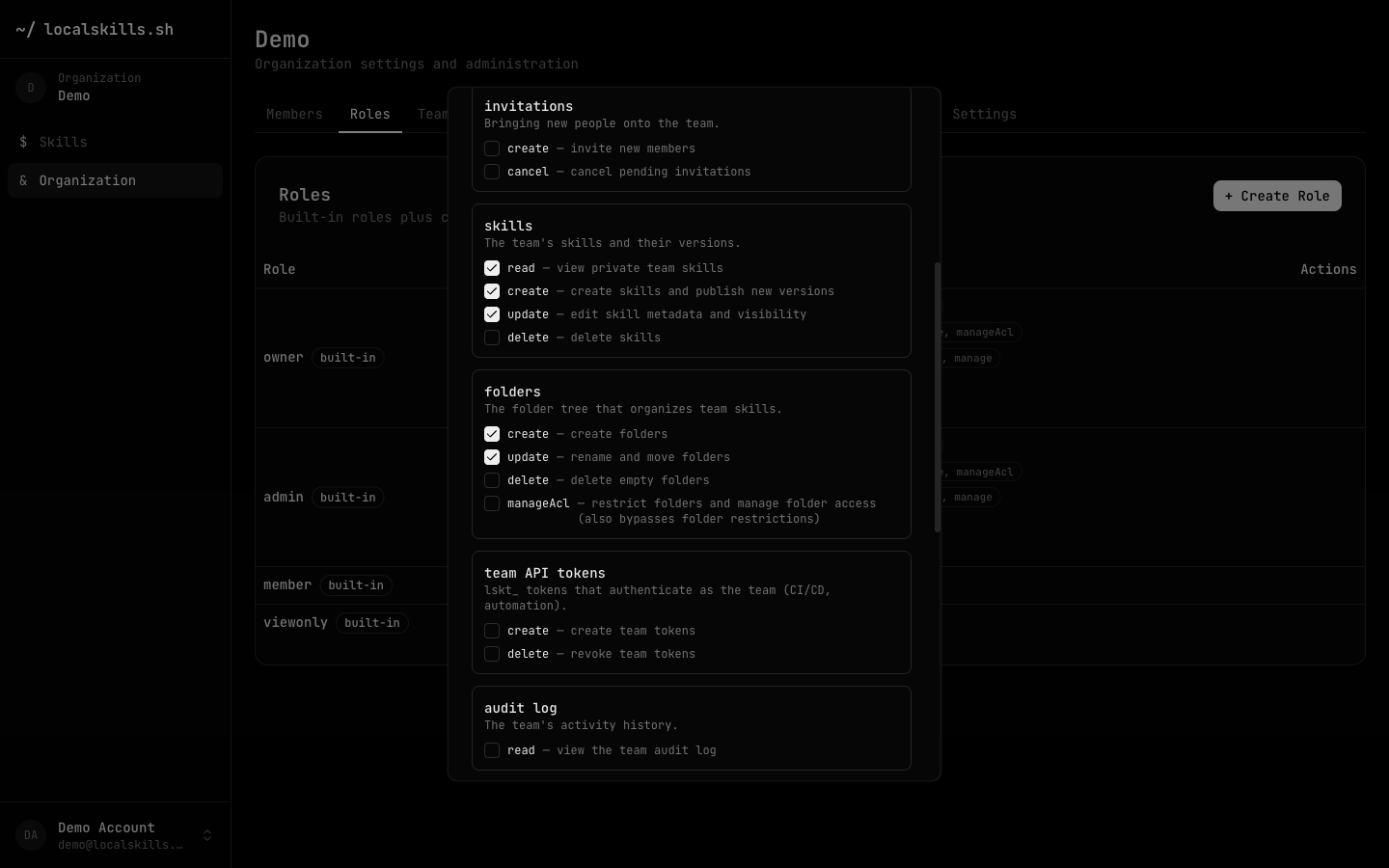
Create custom roles from the Roles tab. A role has a name (2–40 characters: lowercase letters, digits, hyphens, underscores) and any combination of permissions from the catalog below.
Permission catalog
team
The organization profile itself.
update | Edit the organization name, slug, description, and avatar |
members
People already in the organization.
update | Change a member's roles |
delete | Remove members from the organization |
invitations
Bringing new people in.
create | Invite new members |
cancel | Cancel pending invitations |
skills
The organization's skills and their versions.
read | View private organization skills |
create | Create skills and publish new versions |
update | Edit skill metadata and visibility |
delete | Delete skills |
publish | Make skills public or unlisted while the organization restricts publishing to trusted roles |
folders
The folder tree that organizes skills.
create | Create folders |
update | Rename and move folders |
delete | Delete empty folders |
manageAcl | Restrict folders and manage folder access (also bypasses folder restrictions) |
team API tokens
Organization-scoped API tokens.
create | Create organization tokens |
delete | Revoke organization tokens |
audit log
The organization's activity history.
read | View the organization audit log |
GitHub sync
Mirroring skills to a GitHub repository.
read | View sync status |
manage | Connect, configure, and disconnect the repo |
CI/CD (OIDC)
Policies letting CI pipelines exchange OIDC tokens for access.
manage | Create, edit, and delete CI/CD policies |
roles
Custom roles and their permissions.
create | Create custom roles |
read | View role definitions |
update | Edit custom role permissions |
delete | Delete custom roles |
teams
Teams that group members and grant them attached roles.
create | Create teams |
update | Rename teams, attach roles, and manage team members |
delete | Delete teams |
How permissions combine
A member's effective permissions are the union of:
- the roles assigned to them directly, and
- the roles attached to every team they belong to.
Team-derived roles are live: changing a team's attached roles or a member's team membership updates their permissions immediately, everywhere permissions are checked.
Restricted folders can narrow these permissions further for specific subtrees of the skill library — see Folders & Access Control.
Role changes are captured in the audit log as role.created, role.updated, role.deleted, and organization.member_role_updated.