CI/CD & OIDC
Publish skills from CI pipelines without storing any long-lived secret. A trust policy tells localskills.sh which pipelines to trust; the pipeline exchanges its OpenID Connect identity token for a short-lived API token at run time.
How it works
GitHub Actions and GitLab CI can mint OIDC identity tokens that cryptographically prove which repository, branch, and environment a job is running for. localskills.sh verifies that token against your organization's trust policies and, on a match, issues an API token valid for 1 hour. Nothing is stored in your CI secrets.
Request the identity token with the audience https://localskills.sh.
Trust policies
Manage policies under Organization > CI/CD (requires the CI/CD (OIDC): manage permission). A policy matches on:
| Flag | Description |
|---|---|
Provider | GitHub Actions or GitLab CI |
Repository | owner/repo for one repo, or owner/* for every repo in an org/group |
Ref filter | GitHub uses full refs (refs/heads/main); GitLab uses short refs (main); * matches any |
Environment filter | Optional — restrict to a deployment environment (e.g. production) |
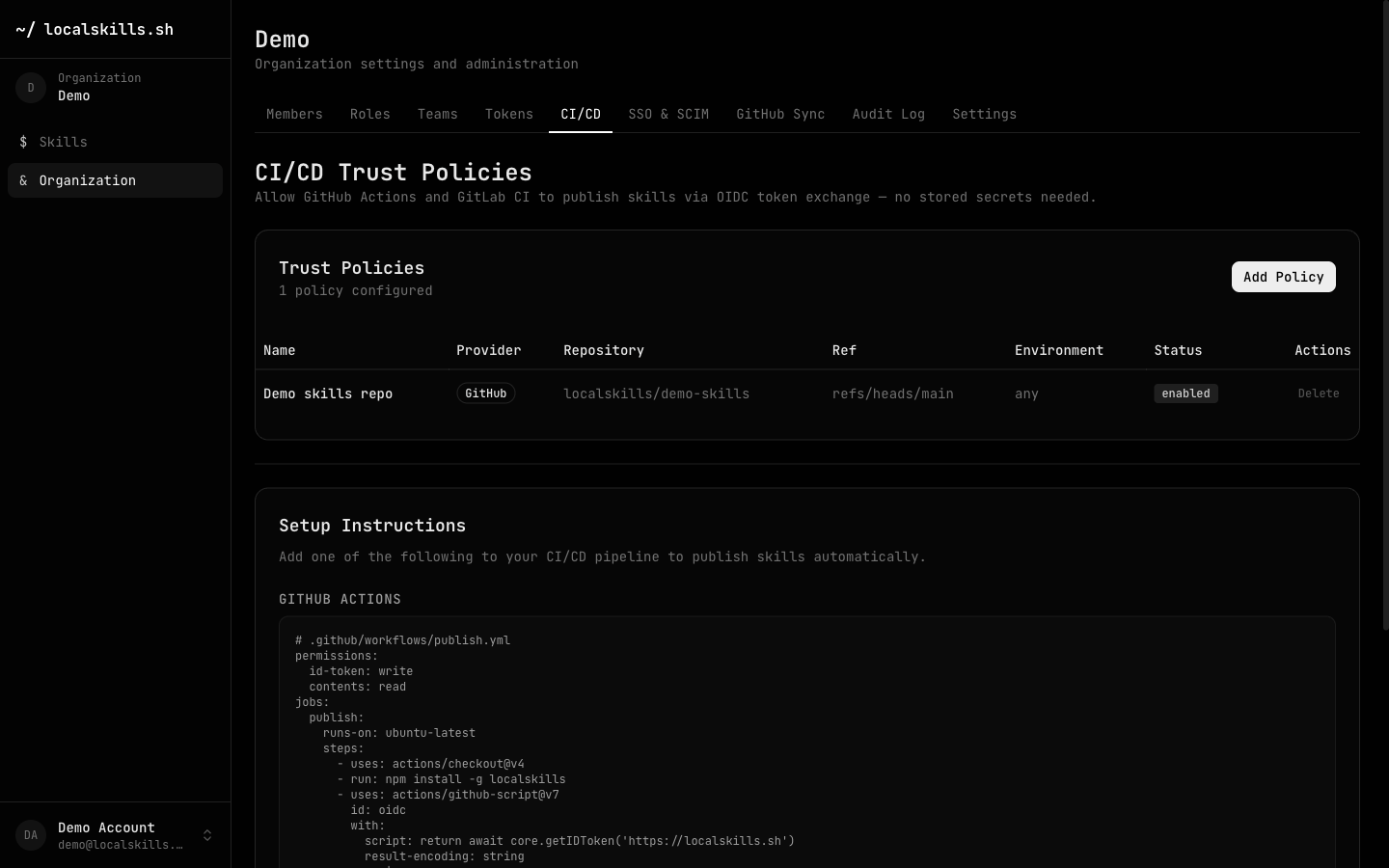
Policy changes and every token exchange are recorded in the audit log (oidc.policy_created, oidc.policy_updated, oidc.policy_deleted, oidc.token_exchanged).
GitHub Actions
# .github/workflows/publish.yml
permissions:
  id-token: write
  contents: read

jobs:
  publish:
    runs-on: ubuntu-latest
    steps:
      - uses: actions/checkout@v4
      - run: npm install -g @localskills/cli
      - uses: actions/github-script@v7
        id: oidc
        with:
          script: return await core.getIDToken('https://localskills.sh')
          result-encoding: string
      - run: |
          localskills login --oidc-token "${{ steps.oidc.outputs.result }}" --team your-org
          localskills push skill.md --skill my-skill --patch
The id-token: write permission is what lets the job mint an OIDC token. --team is your organization's slug.
GitLab CI
# .gitlab-ci.yml
publish:
  id_tokens:
    OIDC_TOKEN:
      aud: https://localskills.sh
  script:
    - npm install -g @localskills/cli
    - localskills login --oidc-token "$OIDC_TOKEN" --team your-org
    - localskills push skill.md --skill my-skill --patch
Publishing from the pipeline
localskills push is the CI-friendly publish command — fully non-interactive, targeting an existing skill:
$ localskills push ./skills/my-skill --skill my-skill --patch -m "$CI_COMMIT_TITLE"It accepts a file or a skill folder, and bumps --patch, --minor, or --major — or pins an exact --version. See the /docs/cli reference for all flags.
lskt_…) rather than a personal one — it survives the creator leaving and attributes actions to the organization. See /docs/api-tokens.