Getting Started
localskills.sh is a platform for creating, sharing, and installing reusable agent skills and rules for AI coding tools. Publish a skill once and install it into Cursor, Claude Code, Codex CLI, Windsurf, Cline, GitHub Copilot, OpenCode, or Aider — the CLI writes each tool's native format.
1. Install the CLI
Install the localskills CLI globally via npm:
$ npm i -g @localskills/cliOr use pnpm, yarn, or bun:
$ pnpm add -g @localskills/cli
$ yarn global add @localskills/cli
$ bun add -g @localskills/cli
Verify the installation:
$ localskills --version2. Authenticate
Running localskills login starts a browser device-code flow — the CLI shows a verification code, opens your browser, and waits for approval:
$ localskills loginYour token is stored in ~/.localskills/config.json. For headless environments — CI servers, containers, or SSH sessions — create an API token in the dashboard and pass it directly:
$ localskills login --token lsk_your_token_hereVerify your identity at any time:
$ localskills whoami3. Install your first skill
Install a skill by slug. The CLI walks you through platform selection, scope (global or project), and install method:
$ localskills install my-skillSkip the prompts by passing flags directly:
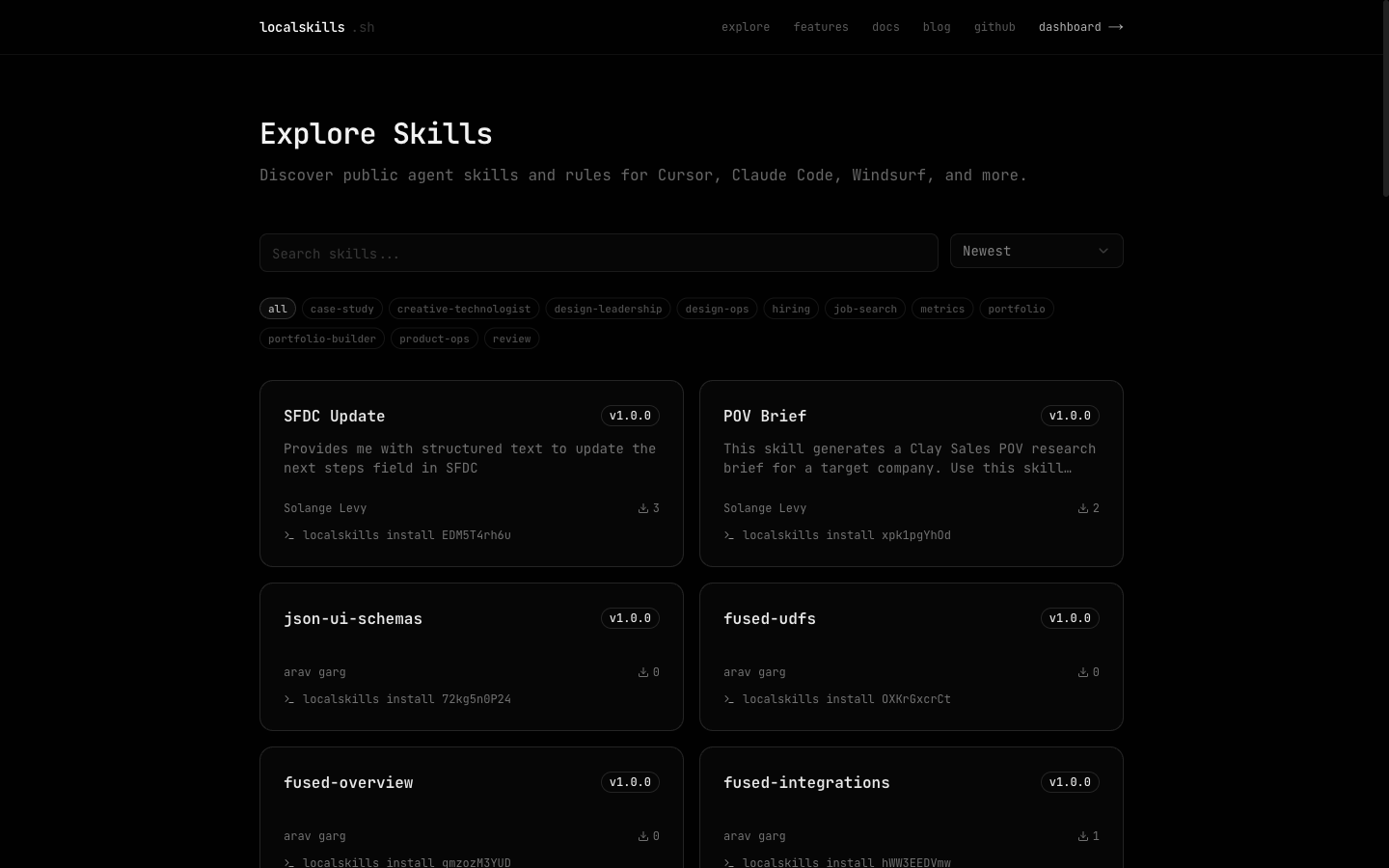
$ localskills install my-skill -t cursor,claude --project --symlinkRun localskills install without a slug to browse available skills interactively, or explore the public catalog at localskills.sh/explore.
4. Publish your own
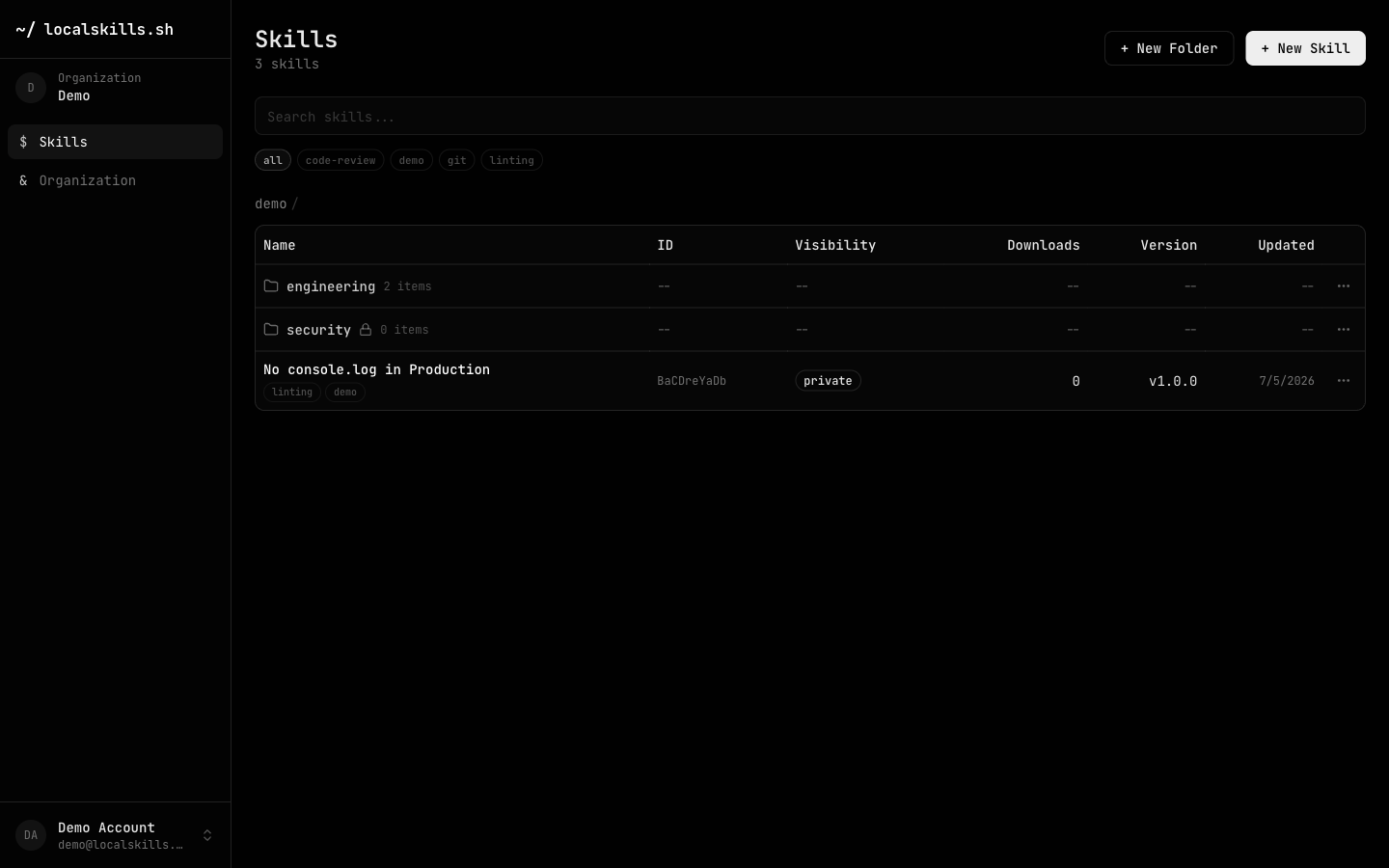
Publish a single file, or a whole skill folder (a directory with a SKILL.md plus scripts and references) as a multi-file package:
$ localskills publish .claude/skills/my-skill --visibility publicEvery publish creates a new version you can roll back from the dashboard. Skills default to private — visible only to your organization.
Where to next
Agents, not humans? Connect your AI agent straight to the platform with the /docs/mcp MCP server — agents can search, read, and publish skills without leaving their workflow.
Working with a team? Organizations add folders with access control, teams, custom roles, SSO, SCIM, audit logs, and GitHub Sync — start at /docs/teams.
Publishing from CI? Exchange your pipeline's OIDC token for platform access with no stored secrets — see /docs/cicd.